

Packing lists that learn.
Packmorrow builds each trip from your own kits, files what you type, and after every trip learns what you forgot and what you didn't need.

Free to download. Plus is a one-time purchase.
PLANNING
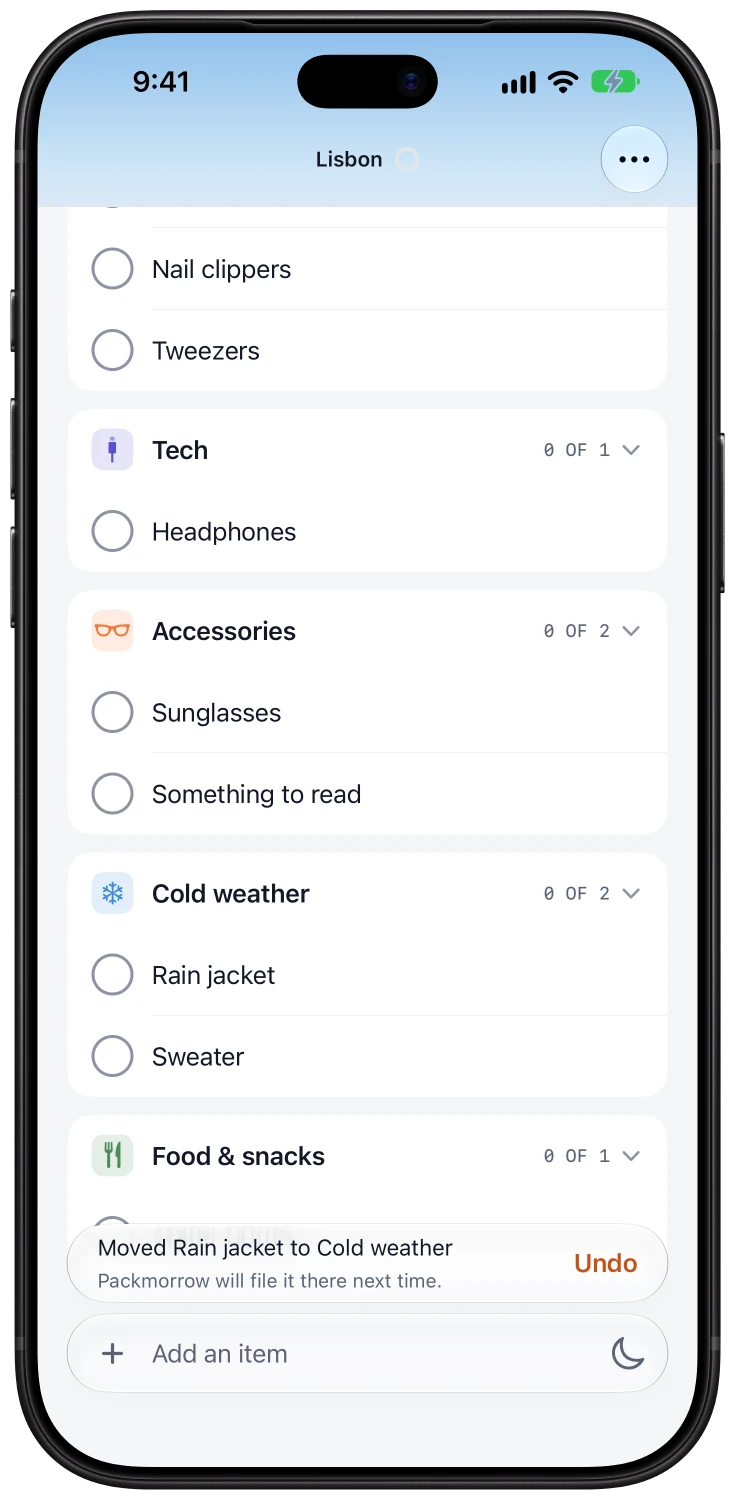
Type it. It files itself.
Type "passport" and it lands in Documents. "Sunscreen" goes to Toiletries. Move something once, and Packmorrow remembers where it goes next time.
KITS
Start from what you know.
Keep reusable kits such as Weekend away, Toiletries or Ski trip. A new trip combines the kits you choose, and quantities follow the nights: socks are a pair a night, plus a spare.
THE NIGHT BEFORE
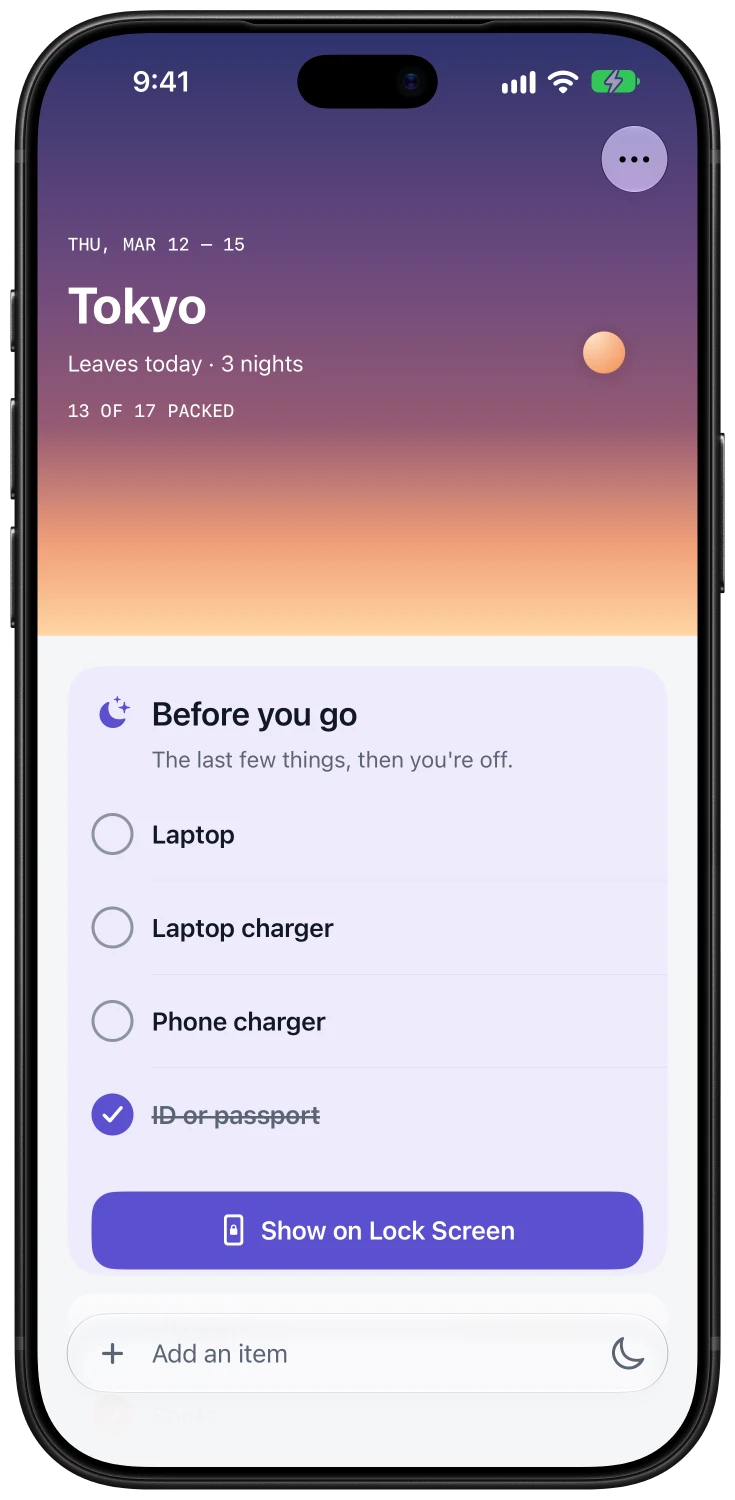
Pack the last things last.
Chargers, toothbrushes, glasses: you can't pack them early, so they get left behind. Before you go keeps them on a short list of their own and brings it up as you leave.
DEPARTURE · PLUS
Right there as you leave.
On the morning you leave, the last few things wait on your Lock Screen. Tick them off there, or from a widget on your Home Screen.
HOME AGAIN
Every trip makes the next one better.
Back home, a one-minute review asks what you forgot and what you didn't need. Choose what your kits should remember, and your next list is already better.
FAMILY · PLUS
Pack for everyone.
Give each person their own list and progress, all on one iPhone, and see at a glance who's ready.
The small things, done properly.
Paste a list
Paste from Notes or Reminders. Each line becomes an item.
Starter kits
Weekends, business trips, beaches, ski trips, camping, babies and more.
Three reminders
The evening before, as you head out, and once you're home.
Siri and Shortcuts
Ask what's left to pack, or add an item without opening the app.
- Plus
Widgets
Tick items off right from your Home Screen.
- Plus
iCloud sync
Your lists on all your devices, through your own private iCloud.
- Plus
Print
A clean checklist on paper, for the fridge or the suitcase.
- Plus
Icons and styles
Choose your app icon and the look of your trip skies.
Search
Find any item in every trip and kit.
PRIVACY
Your lists are yours.
There's no account to make, no ads and no tracking. Your lists stay on your iPhone and, with Plus, in your own private iCloud. We never see them.
Read the privacy notice- No account. There's nothing to sign up for.
- Nothing measured. No analytics and no third-party code.
- Yours to take. Export a backup any time from Settings.
PACKMORROW PLUS
One purchase. No subscription.
Packmorrow is free with three kits. Plus unlocks everything else for good. Try it free for 14 days: the trial never turns into a charge.
- Unlimited kits
- Family packing
- iCloud sync
- Before you go on the Lock Screen
- Home Screen widgets
- Printable checklists
- App icons and styles
The price is shown in the App Store for your region.
Questions
Is Packmorrow free?
Yes. The free version includes three kits, trips, filing, Before you go and the review after each trip. Plus is a one-time purchase that adds everything in the list above.
How does the free trial work?
The 14-day trial unlocks every Plus feature. It's free, it never turns into a purchase, and nothing is charged when it ends. Your lists stay; the app simply goes back to the free version.
Do I need an account?
No. There's nothing to sign up for.
Can my family share a list between phones?
Not between phones. Family packing gives each person a list and progress on one iPhone. With Plus, iCloud keeps your own devices in sync.
Where are my lists stored?
On your iPhone, and with Plus in your private iCloud. You can export a backup any time from Settings → Your data.
Which languages does it speak?
English, Simplified Chinese, Traditional Chinese, Japanese, Korean, German and French.
Your next list is already better.
Free to download. Plus is a one-time purchase.